Open the app.
It already knows where you are.
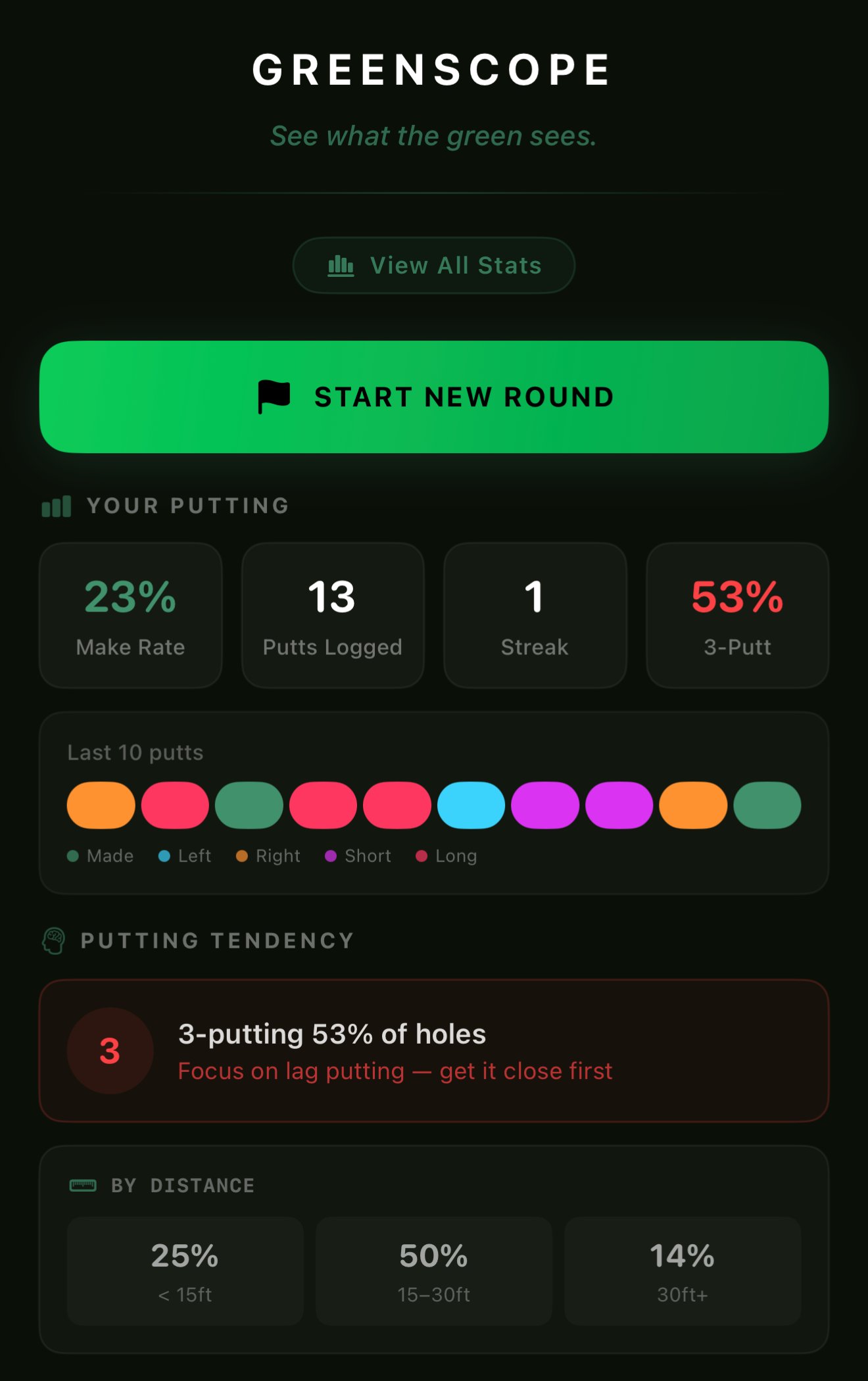
You pull up to the course. Open GreenScope. Before you tap anything, a GPS fix checks your location against a database of twenty-four thousand courses worldwide. Your course, detected, ready.
Pick your round.
Nine, eighteen, or just practice.
Eighteen holes? Nine at dusk? Stroke patterns on the practice green before your tee time? Each is a round type, and each logs your putts against the right context so your stats mean something.
Raise your phone.
The green becomes data.
Stand behind your ball, aim the phone at the green, and walk slowly around the hole. LiDAR captures the surface in real time — thousands of points per second — and you watch the 3D map build on screen.
Tap the hole.
Then tap your ball.
The 3D map is built. Now the model needs two coordinates: where you're putting from, and where you're putting to. Tap the hole first — you're already standing near it. Then walk back and tap your ball.
Read the line.
Exactly as the caddie would.
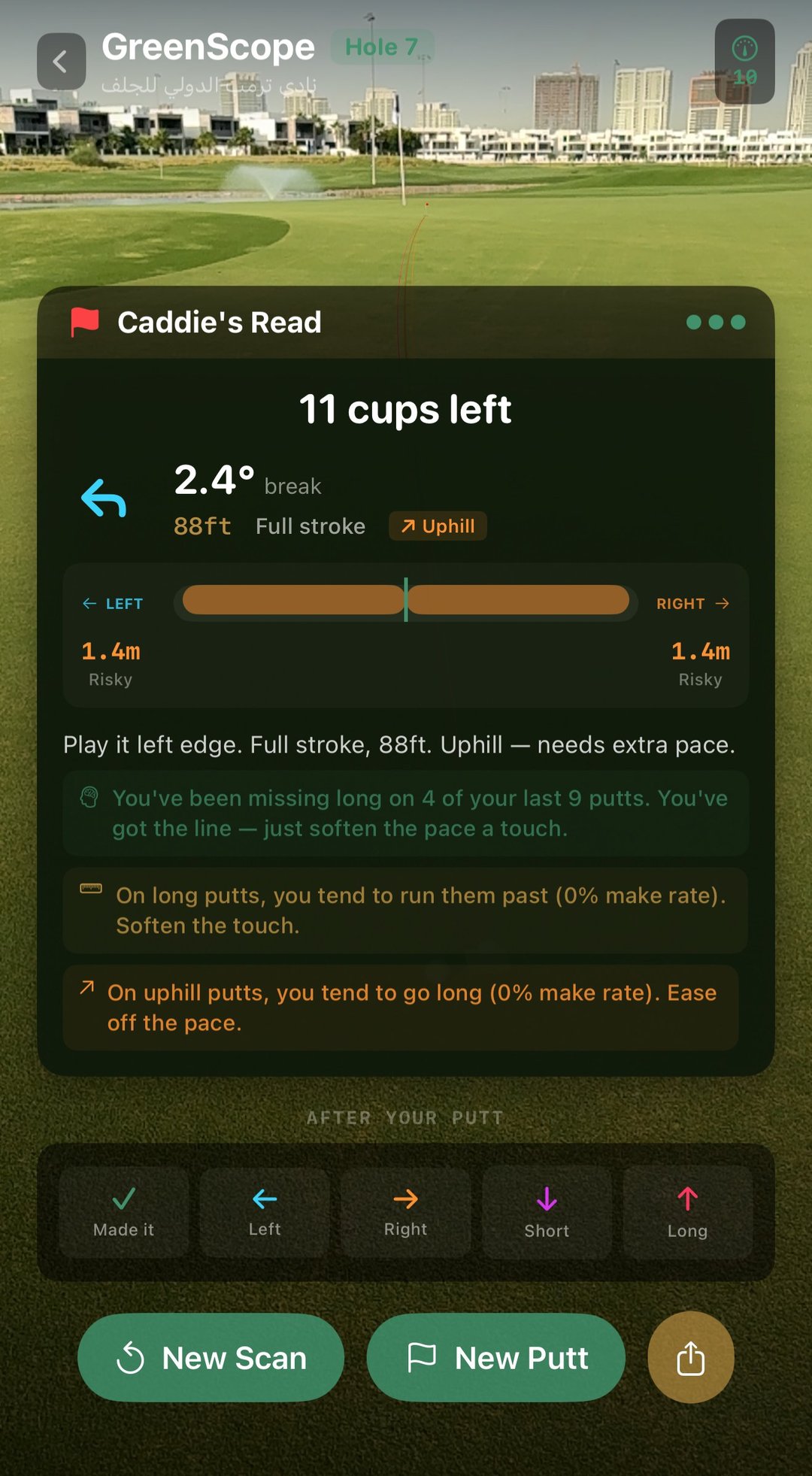
A luminous gold line appears through your camera, running along the exact path the ball should travel. Safe and danger corridors either side. Below it, a plain-English read — the break, the pace, which way to miss. Three seconds after you tapped your ball.
Replay the putt.
See exactly what the green did.
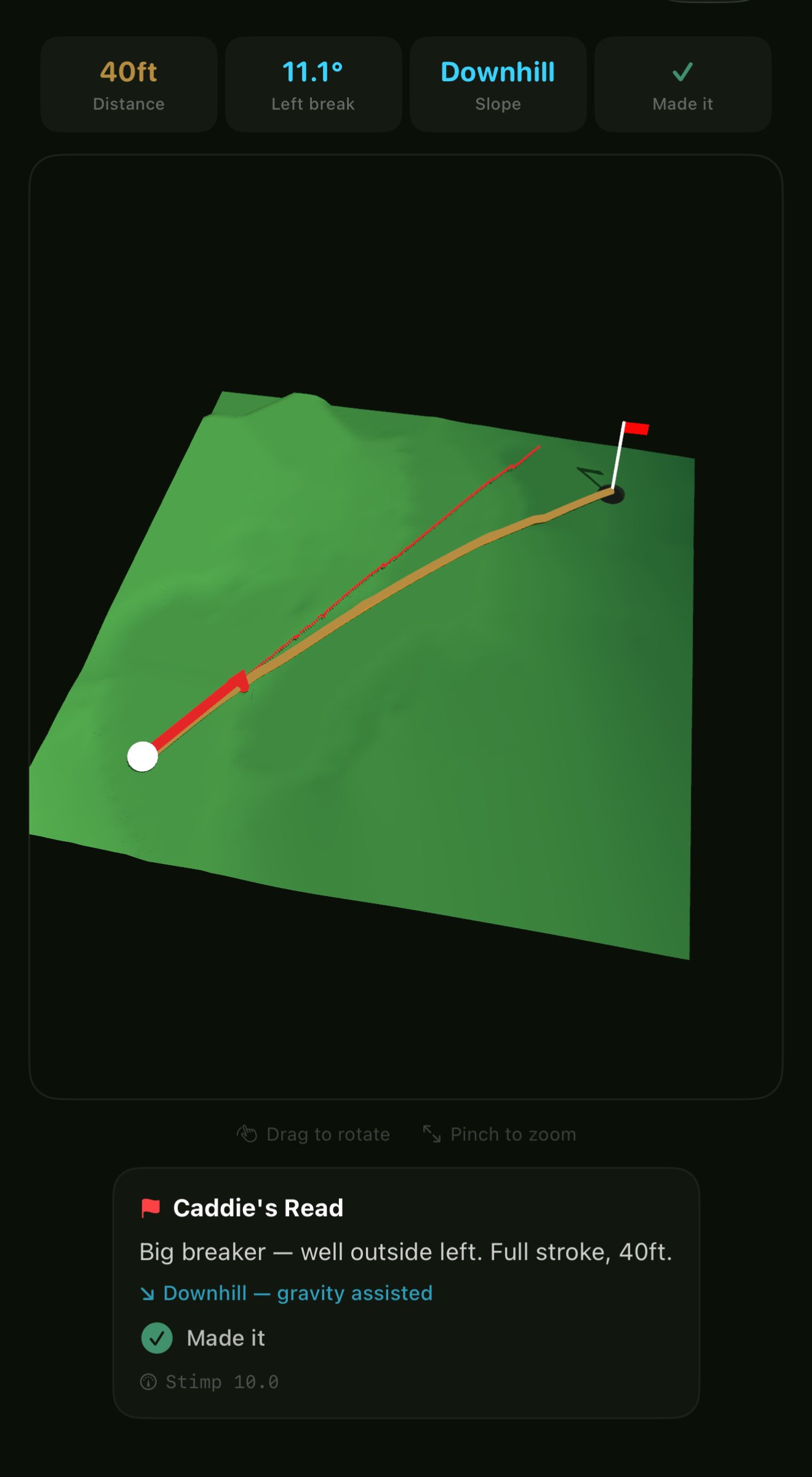
After you sink it (or don't), the 3D replay shows the predicted line in gold and your actual ball path in red, mapped onto the green you just scanned. Drag to rotate, pinch to zoom. Watch a 40-foot downhill breaker unfold from any angle. The green's secrets, made visible.